
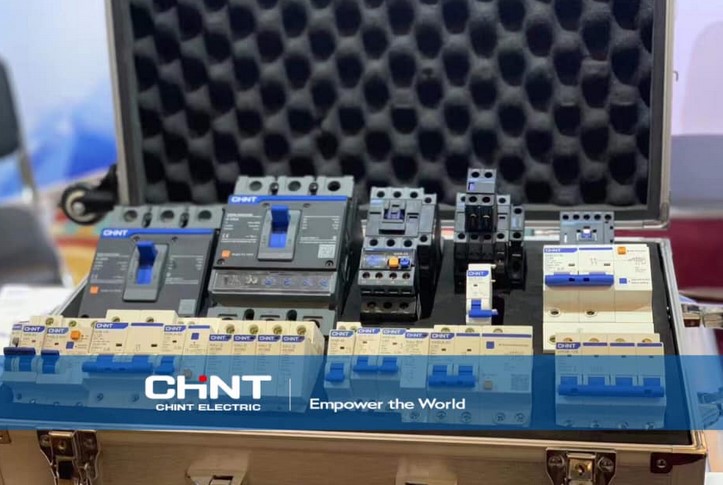
Source:https://www.chintglobal.com
It’s 3:00 PM on a stormy Tuesday. You’re deep into a project, your dual monitors are glowing, and your laptop is huming. Suddenly, a crack of thunder shakes the windows, the lights flicker, and—pop—your screen goes black. In that split second, a high-voltage spike has traveled through your home’s wiring, looking for a place to dump its energy. Without the right defense, that “place” is the sensitive motherboard of your $2,000 workstation.
In my ten years of renovating smart homes and setting up professional home offices, I’ve seen more fried electronics than I care to admit. Most people treat power strips as an afterthought, buying the cheapest plastic bar they can find at the grocery store. But as we integrate more “digital infrastructure” into our homes, the way we manage power needs to evolve. That’s where the Surge Protector Tower comes in—it’s not just a multi-plug; it’s a bodyguard for your digital life.
The Anatomy of a Power Spike: Why Your Devices are at Risk
To understand why you need a specialized system, you have to understand the enemy. A power surge is like a flash flood in a plumbing system. Imagine your home’s electrical wires are pipes meant to carry a steady flow of water. A surge is a sudden wall of water that hits with such force it bursts the seals on your faucets (your electronics).
Most people think surges only come from lightning. In reality, about 80% of surges are “internal.” They happen when your AC compressor kicks on or your vacuum cleaner starts up, sending tiny ripples of excess voltage through the circuit. Over time, these “micro-spikes” degrade the delicate components inside your gadgets, leading to what we call “electronic rust.”
I’ve walked into high-end home theaters where the owner complained about a “glitchy” TV, only to find they were using a decade-old power strip with zero remaining protection. The Surge Protector Tower is designed to absorb these shocks before they ever reach your gear.
Vertical Efficiency: Why the Surge Protector Tower Wins
When I’m designing a workspace, real estate is everything. Traditional horizontal power strips are the “sprawl” of the electrical world. They take up too much floor space, and the moment you try to plug in a large “wall wart” adapter, they block three other outlets.
The Surge Protector Tower solves this through vertical integration. By stacking outlets in a skyscraper configuration, it offers several technical advantages:
-
360-Degree Access: You can plug in bulky transformers from every angle without overlapping.
-
Space Optimization: It occupies the same footprint as a coffee mug while providing up to 12 or 16 outlets.
-
Cable Management: Because the plugs face outward in all directions, cables naturally drape down, preventing the “rat’s nest” of wires that usually collects dust behind a desk.
Decoding the Specs: Joules, Clamping Voltage, and MOVs
If you’re looking to buy a Surge Protector Tower, you need to look past the fancy LED lights and check the technical data. This is where many homeowners get confused.
The Joule Rating
Think of Joules as a bucket of water. The higher the Joule rating, the more “liquid energy” the protector can soak up before the bucket is full and the device is “spent.” For a basic lamp, 1,000 Joules is fine. For a gaming PC or home server, I always tell my clients to look for a Surge Protector Tower with a minimum of 2,500 to 4,000 Joules.
Clamping Voltage
This is the “trigger point.” It’s the voltage level that tells the protector, “Hey, this is too much! Divert the energy to the ground wire!” A lower clamping voltage is actually better because it means the protector reacts sooner. Look for a rating of 330V or 400V.
Metal Oxide Varistors (MOVs)
These are the internal “soldiers” that sacrifice themselves to stop a surge. In a high-quality tower, these MOVs are designed to divert excess heat safely. A common “hidden warning” I give is that MOVs eventually wear out. If your tower doesn’t have an “Adjustable/Protected” indicator light, you’re flying blind.
Centralized Management: USB Integration and Smart Charging
One of the reasons I personally switched my workshop to a Surge Protector Tower system is the integration of Smart USB Ports. We live in a DC (Direct Current) world now—phones, tablets, and even some desk lamps run on USB.
A high-quality tower usually includes built-in IC (Intelligent Circuitry) chips. These chips “talk” to your device to determine exactly how much amperage it needs. This prevents overcharging and overheating, which is the number one killer of smartphone battery health. Instead of having five different charging bricks plugged in, you have one central hub that manages the “digital diet” of all your portable tech.
Safety First: Fire Retardant and Overload Protection
In my years of practical experience, I’ve seen the aftermath of “daisy-chaining”—plugging one power strip into another. Never do this. It creates a massive fire hazard by drawing more current than the wall outlet can handle.
A professional-grade Surge Protector Tower comes with a built-in circuit breaker. If you accidentally plug a space heater and a laser printer into the same tower (a classic rookie mistake), the tower will “trip” and shut down power instantly. This prevents the internal copper wiring from heating up to the point of ignition.
I always look for towers made from ABS + PC fire-retardant materials. In the rare event of a massive catastrophic surge, you want the device to melt, not catch fire.
Tips Pro: The Hidden Lifespan
Most people don’t realize that surge protectors have an expiration date. Every time a small spike is absorbed, the MOVs inside degrade. If your home has experienced a major storm or a transformer blow-out down the street, your Surge Protector Tower has likely done its job and is now just a regular power strip. I recommend replacing your main defense towers every 2 to 3 years to ensure the protection is still active.
Integrating the Tower into Your Home Design
From an aesthetic standpoint, the “tower” look fits perfectly into the modern home office or “command center.” I often tuck them into the corner of a desk or behind a monitor riser. Because they are stable and weighted at the bottom, they don’t flip over when you plug in a heavy cord.
For my clients who are into “smart homes,” I suggest looking for towers that offer individual tier switching. This allows you to cut power to the top four outlets (your monitors and speakers) while keeping the bottom tier (your router and modem) powered on 24/7. It’s a simple way to save on “phantom power” costs without the hassle of unplugging everything every night.
At the end of the day, your home’s digital infrastructure is an investment in your productivity and entertainment. Why protect thousands of dollars in hardware with a five-dollar cord?
Upgrading to a Surge Protector Tower is a small change that offers massive returns in organization, safety, and device longevity. It turns a chaotic mess of wires into a centralized, protected hub.
What does your power setup look like right now? Is it a tangled mess under your desk, or have you moved to a vertical system? If you’ve ever lost a device to a power surge, I’d love to hear your story in the comments—let’s help others avoid the same heartbreak!