
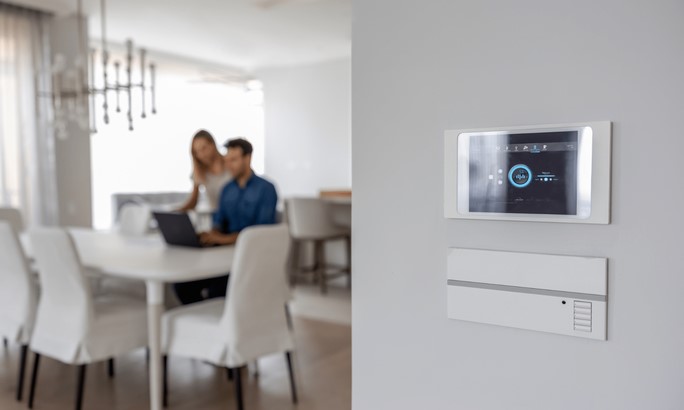
 Picture this: It is 6:00 PM on a stormy Tuesday. You are sitting on your couch, trying to settle in after a long day, but you have six different smart home apps open on your phone. One app controls the smart thermostat, another handles the security cameras, a third manages the smart locks, and three more operate various lights across the house. Instead of feeling like you are living in the future, you feel like a stressed-out air traffic controller juggling incompatible frequencies.
I ran into this exact mess back in 2017 while renovating a 4,500-square-foot residential property. The owner had bought every top-rated smart gadget on the market, expecting effortless luxury. Instead, the devices fought each other for Wi-Fi bandwidth, created massive network latency, and required a mini-manual just to turn off the living room lights. That nightmare project was my turning point.
The missing piece wasn’t another smart bulb or a fancy sensor. It was a dedicated, robust smart hub to serve as the single, local brain of the entire property.
Why Modern Smart Homes Need a Dedicated Brain
To understand why a smart hub is vital when scaling automation, think of your smart home devices as musicians in a large orchestra. Your smart lights are the violins, your motion sensors are the percussion, and your automated blinds are the woodwinds.
Without a conductor on the podium, every instrument plays at its own tempo and volume, resulting in chaotic noise. A smart hub acts as that master conductor. It translates different technical languages into one synchronized symphony so every device knows precisely when and how to perform.
+-------------------------------------------------------------------+
|                           USER INTERFACE                          |
|         (Voice Assistant / Mobile App / Wall Touchpanel)          |
+-------------------------------------------------------------------+
                                  |
                                  v
+-------------------------------------------------------------------+
|                        CENTRAL SMART HUB                          |
|               (Local Processing Engine & Logic Engine)            |
+-------------------------------------------------------------------+
        |                         |                         |
        v                         v                         v
+---------------+         +---------------+         +---------------+
|   Zigbee 3.0  |         |     Z-Wave    |         | Thread / Matter|
|  (Sensors/    |         | (Locks/Dimmers|         | (Lighting/    |
|   Switches)   |         |   /Plugs)     |         |  Appliances)  |
+---------------+         +---------------+         +---------------+
The Technology Gap: Wi-Fi Bloat vs. Mesh Protocol Networks
When homeowners start automating, their first mistake is buying dozens of Wi-Fi-based smart devices. Standard home Wi-Fi routers are designed for high-bandwidth tasks like streaming 4K video or gaming, but they struggle when managing 50 to 100 individual smart devices asking for IP addresses simultaneously.
A dedicated smart hub offloads these low-bandwidth automation tasks to specialized low-power mesh network protocols, primarily Zigbee, Z-Wave, and Thread/Matter.
| Feature | Standard Wi-Fi Setup | Dedicated Smart Hub (Mesh Network) |
| Network Architecture | Star Network (All devices connect to 1 router) | Mesh Network (Devices pass signals to each other) |
| Bandwidth Usage | High (Clogs home Wi-Fi) | Ultra-Low (Runs on dedicated channels) |
| Local Processing | Rare (Depends on internet cloud servers) | Native (Executes automations instantly offline) |
| Battery Life for Sensors | Months | 2 to 5 Years |
| Scalability | Capable up to ~30-40 devices | Easily scales to 100+ devices |
In mesh networking, every main-powered device (like a smart wall switch or plug) acts as a signal repeater. As you add more devices, your network range and reliability actually increase rather than degrade.
Technical Performance: Cloud Dependency vs. Local Processing
One of the most critical insights I’ve learned over a decade of field installations is the danger of relying on cloud-based smart ecosystems. If your automation relies on external servers, a minor internet outage will render your smart switches useless, leave your security sensors blind, and stop your scheduled routines dead in their tracks.
A professional-grade smart hub executes its core automation logic locally on the hardware inside your building.
-
Response Latency: Cloud automations take 800ms to 2,500ms to execute as signals travel to remote servers and back. Local hub automations execute in under 50ms—giving you instant, tactile feedback when you press a switch.
-
Security & Privacy: Local processing keeps your home usage patterns and sensor logs stored safely on your local network, far away from third-party server breaches.
-
Failsafe Reliability: If your ISP cuts out during a thunderstorm, your local smart hub still turns on your hallway lights when a motion sensor triggers.
Step-by-Step Blueprint for Scaling Your Smart Infrastructure
If you are ready to move beyond basic smart plugs and build a resilient system, follow this field-tested implementation blueprint.
1. Position Your Central Gateway Strategically
Never lock your smart hub inside a metal network enclosure or hide it behind a thick concrete wall in the basement. Metal and dense masonry act as Faraday cages that block wireless signals.
-
Place the hub in a central, elevated position in your building.
-
Keep it at least 3 feet away from your main Wi-Fi router to prevent 2.4 GHz frequency interference.
-
Use a wired Ethernet connection directly to your main switch or router rather than connecting the hub via Wi-Fi.
2. Build Your Mesh Backbone First
Before installing battery-powered motion sensors or window contacts, install your hardwired mesh repeaters.
-
Install main-powered smart switches or smart outlets in key rooms throughout the property.
-
Pair these powered devices to your smart hub starting closest to the hub and moving outward.
-
This creates a solid, self-healing mesh infrastructure across every floor.
3. Layer in End-Node Battery Sensors
Once your mesh backbone is active, pair your low-power sensors (water leak detectors, door contacts, temperature sensors). These devices will automatically route their signals through the nearest hardwired mesh node back to the smart hub.
Avoid Common Pitfalls: Expert Warnings from the Field
Hidden Warning: Beware of “Wi-Fi Coexistence” issues. Standard Wi-Fi operates on the 2.4 GHz spectrum, which directly overlaps with Zigbee channels. If your Wi-Fi router auto-switches to Channel 11 while your smart hub uses Zigbee Channel 26, you will experience dropped signals and delayed automations. Manually lock your Wi-Fi router to Channel 1 or 6, and set your hub’s Zigbee network to Channel 15 or 20 to maintain a clean operational separation.
Here are three additional rules I enforce on every build:
-
Avoid Protocol Isolation: Do not buy devices that use proprietary, closed-loop protocols unless they offer an open API or local integration path to your primary hub.
-
Implement Backup Power: Plug your central smart hub and modem into a small Uninterruptible Power Supply (UPS). This keeps your security automations running during power cuts.
-
Standardize Your Ecosystem: Stick to one or two core protocols (e.g., Z-Wave and Matter over Thread) behind your main hub to keep network maintenance simple.
The Future of Building Automation: Matter and Beyond
We are entering an era of smart home technology defined by unified interoperability. The arrival of the Matter standard—backed by industry giants—enables cross-platform communication like never before.
However, Matter does not eliminate the need for a central orchestrator. In fact, a modern smart hub serving as a Thread Border Router is more important than ever. It acts as the bridge that unifies legacy Z-Wave and Zigbee installations with next-generation Matter devices under one responsive command interface.
Take Command of Your Space
Building a truly modern, automated building is not about collecting flashy individual gadgets—it is about designing a cohesive, reliable system. By placing a capable smart hub at the center of your architecture, you eliminate network congestion, eliminate cloud latency, and build an environment that effortlessly adapts to your lifestyle.
Are you currently struggling with a fragmented smart home system, or are you planning a ground-up automation build? Drop your questions or current system setups in the comments section below—I’d love to help you optimize your layout!