
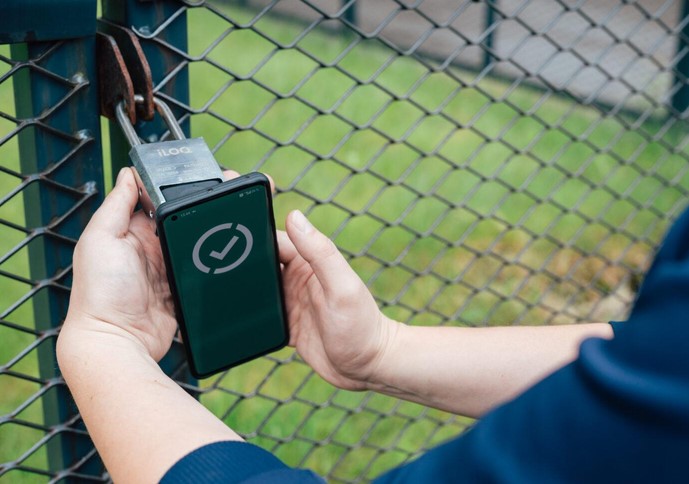
Source:https://www.iloq.com
A few winters ago, I managed a residential build site situated on a remote 5-acre lot. We had thousands of dollars in generator equipment and specialty tools locked inside a heavy storage container at the back of the property. One Monday morning, a subcontractor called me in a panic—he had lost his master key over the weekend, and three workers were standing around in sub-zero temperatures waiting to get inside.
I had two choices: spend forty-five minutes driving to the site with a spare brass key, or hand the subcontractor a pair of heavy bolt cutters to ruin a $60 hardened brass lock.
Instead, I opened an app on my phone from my kitchen table, generated a temporary 6-digit access code, and texted it to him. Ten seconds later, the container was open, the crew was at work, and my morning schedule was completely saved.
Over my 10+ years in residential construction and site management, I’ve realized that access control at remote locations shouldn’t rely on fragile pieces of stamped brass. Deploying a rugged smart padlock outdoor unit bridges the gap between high-tech digital authorization and heavy-duty physical security.
The Remote Site Security Dilemma: Physical Strength vs. Digital Flexibility
Securing remote assets—whether it’s an off-grid cabin, an outdoor tool trailer, a perimeter gate, or a utility shed—presents a unique set of engineering challenges.
Think of a traditional mechanical padlock like an old mechanical typewriter. It works fine as long as you have physical access to the ribbon and keys, but the moment you need to grant access to a third party remotely, the entire system breaks down into logistics headaches.
A commercial-grade smart padlock outdoor unit combines the physical defense of hardened metal alloys with the digital intelligence of encrypted communication protocols. You gain granular access logs, remote key sharing, and biometric entry without sacrificing mechanical cut resistance.
+--------------------------+-----------------------+-----------------------+-------------------------+
| Feature / Specification  | Standard Brass Lock   | Cheap Digital Lock    | Rugged Outdoor Smart Lock|
+--------------------------+-----------------------+-----------------------+-------------------------+
| Shackle Material         | Hardened Steel        | Basic Alloy           | Boron Alloy / Stainless |
| Weather Ingress Rating   | Unrated (Rusts)       | IP54 (Light Dust/Splash)| IP67 / IP68 (Submersible)|
| Access Method            | Physical Key Only     | Keypad Only           | Bluetooth / PIN / Biometric|
| Audit Trail / Logs       | None                  | None                  | Full Time-Stamped Logs  |
+--------------------------+-----------------------+-----------------------+-------------------------+
Environmental Protection: Decoding Ingress Protection (IP) Ratings
Not all digital locks are engineered to withstand the elements. Placing a light-duty indoor smart lock on a remote outdoor gate is a recipe for instant electronic failure.
When sourcing a smart padlock outdoor security unit, the single most critical rating to inspect is its Ingress Protection (IP) code.
Understanding the Numbers
An IP rating consists of two numbers (e.g., IP68):
-
First Digit (Solid Protection): A rating of 6 means the casing is completely dust-tight, preventing fine sand and dirt from clogging internal motor drives or biometric sensors.
-
Second Digit (Liquid Protection): Look for a rating of 7 or 8. A rating of 7 guarantees protection against water immersion up to 1 meter for 30 minutes; an 8 rating handles continuous underwater submersion and high-pressure water jets.
Furthermore, ensure the lock features a heavy rubberized silicone jacket, a sealed silicone keyport cover, and a operating temperature range between -20°F to 150°F (-29°C to 65°C).
Metallurgy and Cut Resistance: The Physical Defense Layer
A smart lock with unbreakable encryption is useless if a thief can bite through its shackle with a cheap pair of 18-inch bolt cutters.
Boron Alloy Shackles
Never compromise on shackle metallurgy. Look for shackles constructed from tough, case-hardened boron carbide or stainless steel alloys. Boron alloy offers up to 50% higher resistance to bolt cutter shearing force and saw blades compared to standard hardened steel.
Dual-Ball Bearing Locking Mechanisms
Avoid locks that use cheap spring-latch mechanisms inside the body. High-security padlocks utilize dual ball-bearing locking systems that latch the shackle on both sides simultaneously. This forces an intruder to make two complete cuts through the hardened shackle rather than just one to bypass the lock.
Deploying Your Smart Padlock: Step-by-Step Field Setup
Setting up a digital access point at a remote site requires a careful combination of physical installation and software configuration before you leave your home Wi-Fi zone.
Expert Advice: Pro Tips and Hidden Traps
⚠️ The Cold Weather Battery Trap
Standard alkaline AA or AAA batteries drop voltage rapidly in freezing temperatures, causing the electronic motor inside your lock to stall even if the battery indicator reads 30%. Always use primary Lithium batteries (such as Energizer Ultimate Lithium) in outdoor smart locks. Lithium batteries maintain stable voltage output down to -40°F!
Managing Remote Audit Trails
If your remote site lacks cellular coverage or Wi-Fi, modern outdoor padlocks utilize asynchronous Bluetooth logging. Every time a authorized user opens the lock using their smartphone app, the phone records the time-stamped access event and syncs it to the cloud automatically once the phone returns to cellular service range.
💡 Pro Tip from the Field
To prevent internal condensation from building up inside the electronic housing during severe day-to-night temperature swings, coat all exterior silicone rubber gaskets and shackle seals with a micro-thin layer of dielectric silicone grease. It preserves the rubber, repels moisture, and keeps freezing rain from locking up moving parts.
Take Command of Your Outdoor Assets
Managing security across remote properties, utility sheds, and job sites no longer requires handing out physical keys or cutting locks off when communication breaks down. By choosing a rugged, IP-rated smart padlock outdoor system, you combine military-grade metallurgy with modern, flexible access control that keeps your valuable assets protected 24/7.
How do you currently manage physical access across your remote properties or outdoor structures? Have you ever faced the frustration of lost jobsite keys or frozen padlocks in the winter? Leave a comment below with your questions or share your security setups—I’d love to join the discussion and offer technical guidance!